You're ready to explore AI for your business. You've done your research, read the case studies and you're convinced AI can solve real problems.
Then you start getting proposals and suddenly everyone's throwing around different terms: "AI agents," "intelligent chatbots," "workflow automation," "machine learning," "RPA"...
Wait, aren't these all the same thing?
No. And understanding the difference could save you from investing in the wrong solution.
💡 Here's the truth: most businesses don't need the most advanced AI, they need the RIGHT AI for their specific problem. Sometimes that's a simple chatbot. Sometimes it's workflow automation. Sometimes it's a sophisticated AI agent.
This guide will help you cut through the jargon and figure out exactly which solution matches your needs.
The Confusion Is Real (And It's Not Your Fault)
The AI industry loves buzzwords. Vendors throw around terms interchangeably because they sound impressive. But here's what actually matters:
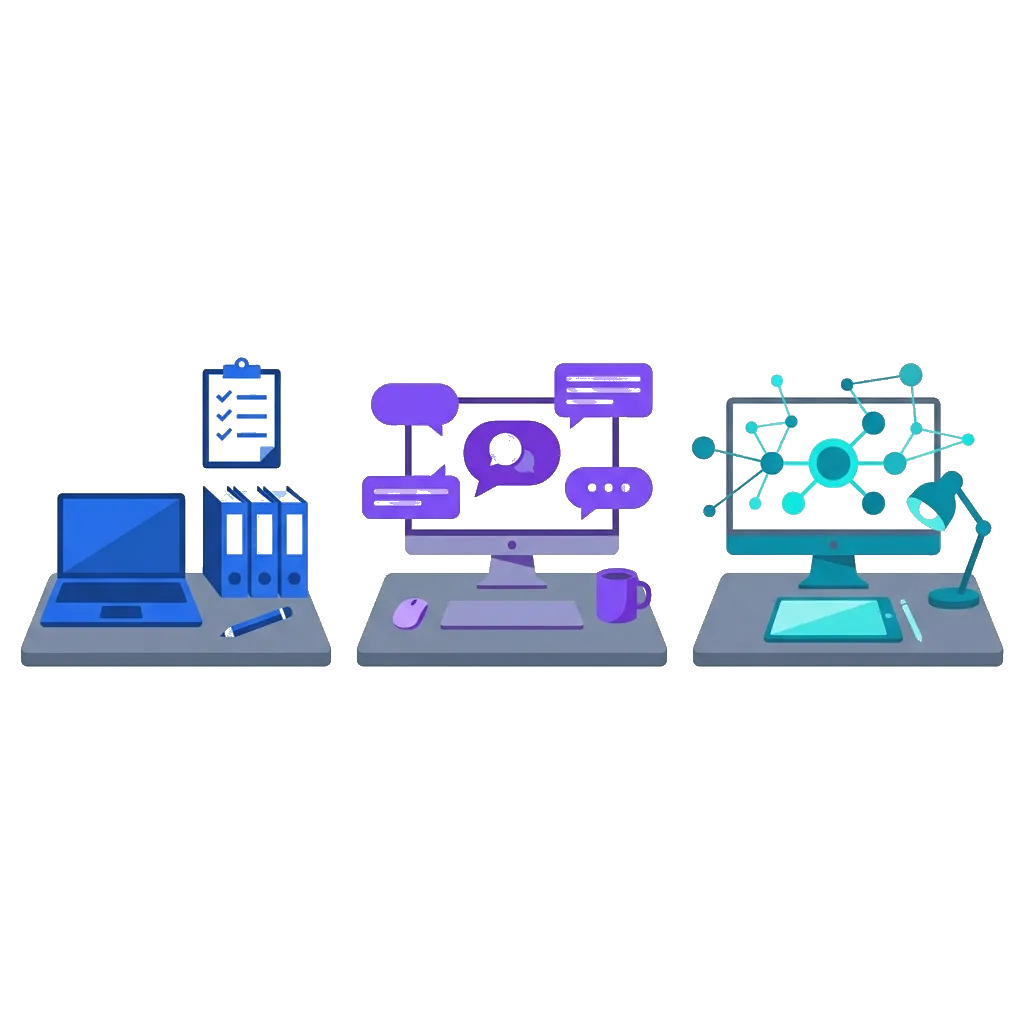
These three technologies solve fundamentally different problems:
- Automation: Handles predictable, rule-based tasks
- Chatbots: Manages conversations and inquiries
- AI Agents: Makes autonomous decisions and takes action
Think of it like transportation:
- Automation = A bus route (fixed path, predictable stops)
- Chatbots = A taxi driver (responds to your requests, follows instructions)
- AI Agents = A personal chauffeur (anticipates your needs, makes route decisions, handles problems independently)
Let's break down each one so you know exactly what you're buying.
Workflow Automation: The Foundation

What It Actually Is:
Workflow automation uses if-this-then-that logic to handle repetitive tasks automatically. No conversation. No decision making. Just reliable execution of predefined rules.
Simple example:
- IF a new customer signs up
- THEN create their account in the CRM
- AND send them a welcome email
- AND notify the sales team
- AND add them to the onboarding workflow
What It's Great For:
- ✅ Moving data between systems (CRM to accounting, forms to databases)
- ✅ Triggering actions based on events (new order → send confirmation → update inventory)
- ✅ Scheduling and routing tasks (assign leads to sales reps, route support tickets)
- ✅ Generating reports automatically (end-of-day sales summary, weekly performance dashboards)
- ✅ Eliminating copy-paste work (data entry, form processing, file organization)
What It's NOT Great For:
- ❌ Handling customer questions (it can't have conversations)
- ❌ Adapting to unexpected situations (it only follows programmed rules)
- ❌ Making judgment calls (it can't evaluate nuance)
- ❌ Learning from new data over time (it doesn't improve unless you reprogram it)
💡 Real-World Example
The Problem: A real estate agency was manually copying lead information from their website forms into their CRM, then sending templated follow-up emails, then assigning leads to agents based on location. This took 2-3 hours per day.
The Automation Solution:
- ✓ Form submission automatically creates CRM record
- ✓ System checks lead's zip code and assigns to appropriate agent
- ✓ Personalized email sends immediately with agent's calendar link
- ✓ Agent gets Slack notification with lead details
Result: 2-3 hours/day of manual work eliminated. Leads contacted within 2 minutes instead of 2 hours. Zero data entry errors.
Bottom line: If your problem is "this task is boring and repetitive," you need automation.
Chatbots: The Conversational Interface

What It Actually Is:
A chatbot is a conversational interface that interacts with users through text or voice. Modern intelligent chatbots use natural language processing (NLP) to understand questions and provide relevant answers.
Simple example:
Customer: "What's my order status?"
Chatbot: [Looks up order] "Your order #12345 shipped yesterday and will arrive Thursday.
Here's your tracking link: [link]"
The Two Types You'll Encounter:
1. Rule-Based Chatbots (Simpler, cheaper)
- Follow decision trees ("If user says X, respond with Y")
- Good for FAQs and simple queries
- Can't handle unexpected questions
2. AI-Powered Chatbots (Smarter, more flexible)
- Understand natural language variations
- Learn from conversations over time
- Can handle complex, multi-turn dialogues
What Chatbots Are Great For:
- ✅ Answering repetitive questions 24/7 (order status, hours, pricing, policies)
- ✅ Qualifying leads before human handoff (budget, timeline, needs assessment)
- ✅ Booking appointments/demos (calendar integration, availability checks)
- ✅ Troubleshooting common issues ("Have you tried restarting?" type support)
- ✅ Collecting information from users (intake forms, feedback surveys)
💡 Real-World Example
The Problem: An e-commerce company was getting 200+ customer support tickets per day asking the same 20 questions ("Where's my order?", "What's your return policy?", etc.). Their support team was overwhelmed.
The Chatbot Solution:
- ✓ Trained on their FAQ, return policy, and shipping information
- ✓ Integrated with their order tracking system to pull real-time data
- ✓ Handles common questions 24/7 in natural language
- ✓ Escalates complex issues to human agents with full conversation context
Result: 68% of tickets resolved instantly by the chatbot. Support team now focuses on complex issues. Customer satisfaction up 23% because people get instant answers at 2am.
Bottom line: If your problem is "we can't respond to everyone fast enough," you need a chatbot.
AI Agents: The Decision-Makers
What It Actually Is:
An AI agent is an autonomous system that can perceive its environment, make decisions and take actions to achieve specific goals—often without human intervention.
Unlike automation (which follows fixed rules) or chatbots (which respond to questions), AI agents can:
- Analyze situations using multiple data sources
- Make decisions based on context and goals
- Take actions across multiple systems
- Learn and adapt from outcomes
Think of it like this:
- Automation = Your microwave (push button, it heats for X minutes)
- Chatbot = Your voice assistant (answers questions when asked)
- AI Agent = Your executive assistant (anticipates needs, solves problems proactively, coordinates across systems)
What AI Agents Are Great For:
- ✅ Complex workflows requiring judgment (fraud detection, risk assessment, quality control)
- ✅ Multi-step processes spanning multiple systems (order fulfillment, customer onboarding, supply chain optimization)
- ✅ Predictive decision-making (inventory forecasting, dynamic pricing, churn prevention)
- ✅ Adaptive systems that improve over time (recommendation engines, personalization systems)
Real-World Example
The Problem: An e-commerce company needed to optimize fulfillment across 3 warehouses based on inventory, location, shipping costs and delivery promises.
The AI Agent Solution: Monitors orders in real-time, analyzes inventory, calculates optimal fulfillment location, routes orders and generates shipping labels automatically.
Result: Shipping costs reduced 23%. 2 days delivery promise met 94% of the time. Stockout events reduced by 40%.
Bottom line: If your problem is "this is too complex for simple automation and requires smart decision-making" you need an AI agent.
Side-by-Side Comparison

| Feature | Workflow Automation | Chatbot | AI Agent |
|---|---|---|---|
| Complexity | Low | Medium | High |
| Decision-Making | None (follows rules) | Limited (answers questions) | Advanced (autonomous) |
| Learning | No | Limited | Yes |
| Best For | Repetitive tasks | Customer interactions | Complex decisions |
Decision Framework: Which Do You Actually Need?
Start Here: What's Your Primary Pain Point?
-
👉
"We're wasting time on repetitive, manual tasks"
→ You need Workflow Automation -
👉
"We can't respond to customer inquiries fast enough"
→ You need a Chatbot -
👉
"We need to make better decisions with complex, changing data"
→ You need an AI Agent
The Hybrid Approach (What Most Businesses Actually Need)
Here's what we don't often talk about: you usually don't need to choose just one.
Most effective AI implementations combine all three. For example, in a Customer Service Transformation:
- Layer 1 - Automation: Automatically categorize and route tickets, update records.
- Layer 2 - Chatbot: Handle 60-70% of common inquiries instantly.
- Layer 3 - AI Agent: Analyze patterns to predict volume and identify emerging issues.
The result: A fully integrated intelligent support system that handles more with less while continuously improving.
ROI Expectations
Automation
Payback: 3-6 months
ROI: 300-500%
Chatbot
Payback: 6-12 months
ROI: 200-400%
AI Agent
Payback: 12-18 months
ROI: 150-300%
Common Mistakes to Avoid
- Starting with Technology, Not Problems: Don't buy an AI agent just because it sounds cool. Start with the business problem.
- Assuming "More AI" = "Better Results": A simple automation might deliver more value than a complex agent if it solves your specific problem.
- Expecting Instant Results: AI takes time to deploy and optimize. Set realistic timelines.
- Ignoring Data Quality: "Garbage in, garbage out" is real. Clean your data first.
- Building Without Oversight: Always keep humans in the loop for quality control.
⚡ Let's identify the right solution for you Let's build your AI roadmap together. Schedule a free consultation to discuss your specific situation.
We'll discuss your specific challenges, fit, roadmap and ROI. No pressure, just honest guidance.