You've decided an AI agent could transform a part of your business. Now comes the real question: how do you actually build one?
Most guides either stay too abstract ("just connect it to your data!") or go so deep into Python that they lose anyone who isn't a developer. This guide is neither. It's the practical framework we use with clients: concrete enough to be actionable, clear enough for any business leader to follow.
What You're Actually Building
Before writing a single line of code, you need clarity on what an AI agent is and isn't.
An AI agent is software that perceives inputs (text, data, events), reasons about them using a language model or decision logic and takes actions in the real world (calling APIs, sending messages, updating records, triggering workflows). The key word is action. A chatbot responds. An agent does.
The one-sentence test: If your "AI agent" can't take an action without a human approving each step, it's not an agent. It's a glorified autocomplete. Real agents operate autonomously within defined boundaries.
The most successful business AI agents are narrow and deep. They do one thing exceptionally well (qualify leads, resolve support tickets, process invoices) rather than trying to do everything.
Step 1: Define the Right Use Case
This is where most projects fail before they start. Teams get excited about AI and pick either the wrong problem or too big a problem.
The right problem has four characteristics:
Repetitive: it happens daily, weekly or per transaction, not once a month when someone remembers. Rule-definable: the decision logic can actually be written down. If you can't describe the rules, an agent can't follow them. Data-rich: there are existing examples of correct inputs and outputs to build and test against. High-value: the time or money saved justifies the build cost.
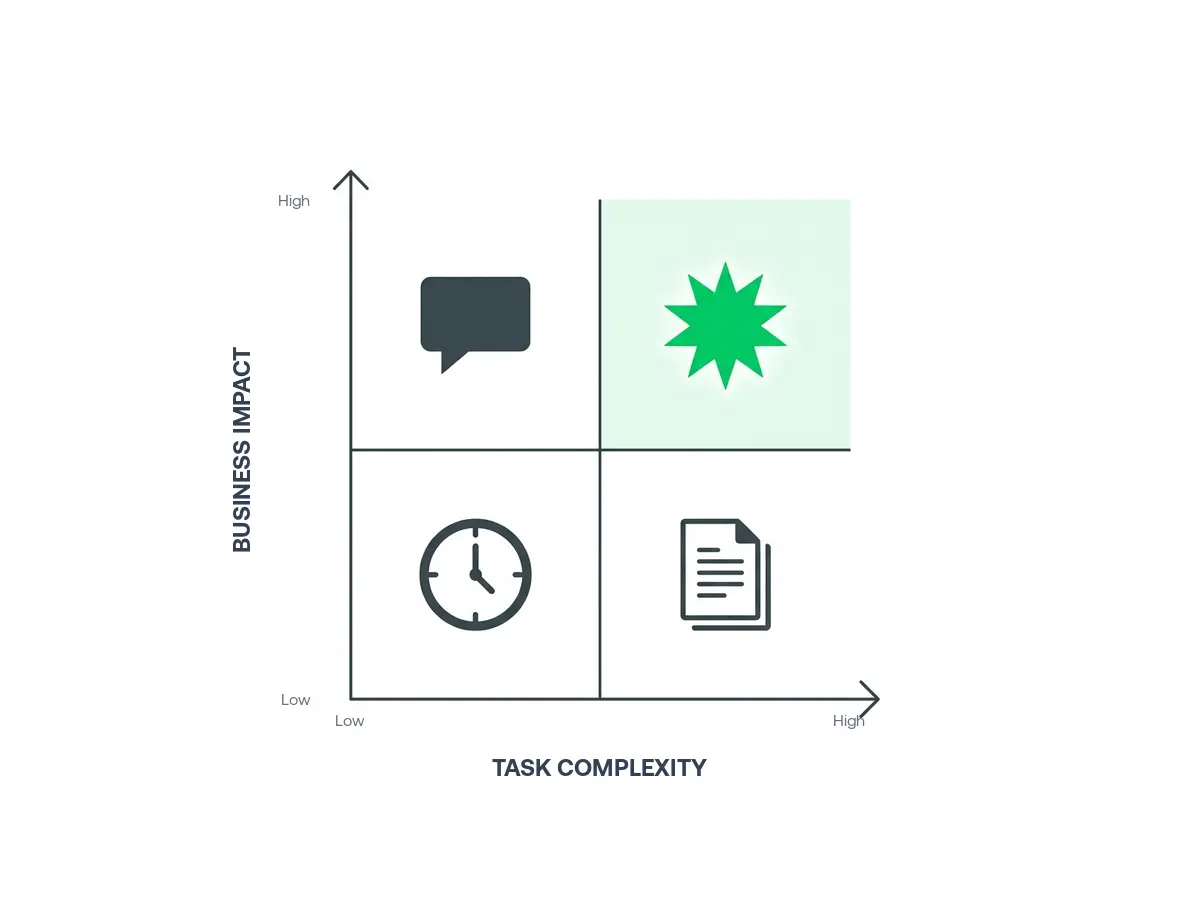
A good starting exercise: list every task your team does more than 20 times per week. Then score each on complexity (1 to 5) and business impact (1 to 5). The high-impact, medium-complexity items are your sweet spot. Too simple and you can use basic automation. Too complex and an MVP agent won't be reliable enough.
Common winning use cases:
- First-line customer support ticket triage and resolution
- Lead qualification and CRM data enrichment
- Invoice extraction and accounts payable matching
- Inventory reorder prediction and purchase order creation
- Employee onboarding document handling and IT provisioning
Step 2: Map the Workflow the Agent Will Own
Once you have your use case, document the current human workflow in detail. Not at a high level. Get granular.
For each step, answer: What information does a human need? Where does that information come from? What decision do they make? What action do they take? What can go wrong?
This exercise does two things. First, it reveals hidden complexity (steps that seem simple often have 10 edge cases). Second, it becomes the specification your development team builds against.
Practical tip: Shadow one of your team members doing the task for 2 hours and record (with permission) exactly what they click, what they read and what they decide. This is worth more than any requirements document.
Define the agent's scope boundary explicitly: what it handles autonomously, what it escalates to a human and what it refuses entirely. This boundary is what keeps your agent reliable and keeps your team's trust.
Step 3: Choose Your Architecture
Most business AI agents use one of three architectures. Your use case dictates which fits.
RAG Agent (Retrieval-Augmented Generation) The agent retrieves relevant documents or records from your knowledge base, then uses an LLM to reason over them and generate a response or action. Best for: support agents, internal knowledge assistants, document Q&A.
Tool-Calling Agent The agent is given a set of tools (API calls, database queries, code execution) and decides which to use based on the task. Best for: research tasks, data enrichment, multi-step orchestration across systems.
Workflow Agent (Deterministic + LLM) A structured workflow where some steps are hard-coded logic and others use an LLM for flexible reasoning. Best for: invoice processing, compliance checking, anything where auditability matters.
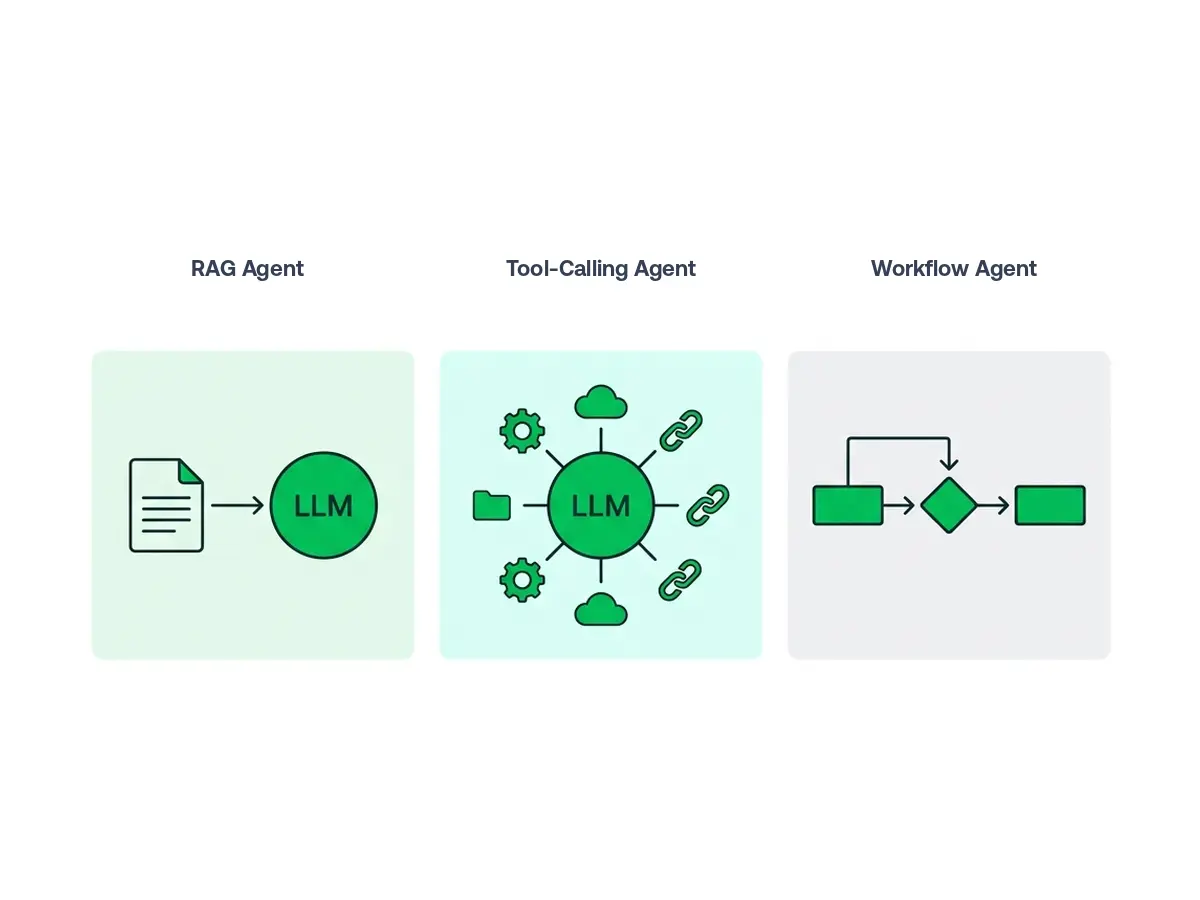
For most business use cases, a workflow agent or tool-calling agent is the right choice. They're more predictable, easier to test and easier to explain to stakeholders than fully autonomous agents. Save pure RAG for knowledge retrieval tasks.
Step 4: Select Your Tech Stack
You don't need to build from scratch. The right tools depend on your team's skills and the agent's complexity.
LLM Provider: Anthropic Claude Sonnet 4 and OpenAI's GPT-5 series cover 90% of business use cases. For cost-sensitive high-volume tasks, use a smaller model: Claude Haiku 4 or GPT-5 Mini variants offer strong performance at lower cost per token. For anything requiring complex reasoning or long-horizon tasks, use the flagship models (Claude Opus 4 or GPT-5.2).
Agent Framework: If you have Python developers, LangChain or Pydantic AI provide structure and tooling. For teams without Python experience, n8n (workflow-based) or Voiceflow (conversational) are strong no-code/low-code options. See our full framework comparison for a detailed breakdown.
Memory & State: Agents need to remember context. For conversation history, a simple database table works. For long-term memory (what a customer purchased 6 months ago), use a vector database like Pinecone or Weaviate.
Tools & Integrations: Map every system your agent needs to interact with and confirm the APIs exist and are accessible. Most enterprise blockers aren't technical. They're access permissions and security reviews. Start this conversation with IT early.
Step 5: Build the MVP
Resist the urge to build the full vision. Your MVP should handle the most common 80% of cases well. The edge cases come later.
Sprint 1 (weeks 1 to 2): Build the happy path only. The most common input → the correct output. No error handling, no edge cases. Just prove the core logic works.
Sprint 2 (weeks 3 to 4): Add error handling and the next 3 to 4 most common variations. Connect to the real data source (not a mock).
Sprint 3 (weeks 5 to 6): Shadow mode. Run the agent alongside your human team: the agent makes decisions, humans take the actions. Compare them. Fix the gaps.
Sprint 4 (weeks 7 to 8): Limited production with a safety net. The agent acts on a subset of real cases while humans review everything. Measure accuracy, escalation rate and time saved.
Shadow mode is non-negotiable. We've seen clients skip it to save time and then face costly rollbacks. Running the agent in parallel for 2 weeks before giving it real authority catches edge cases your requirements document missed, and there will always be edge cases.
Step 6: Define Your Evaluation Framework
Before you launch, decide what success looks like, because without baseline numbers, you won't know if the agent is actually working.
Accuracy: What percentage of cases does the agent handle correctly? For customer support, correct means the customer's issue is resolved without escalation. For invoice processing, correct means the extracted data matches the actual invoice.
Escalation rate: What percentage of cases does the agent hand off to a human? Starting higher is fine. You want it declining over time, but never to zero: some cases should always reach a human.
Latency: How long does the agent take to respond or complete the task? User experience on customer-facing agents depends heavily on this.
Cost per resolution: Track your LLM API costs per task. Agents that look efficient can have surprisingly high token costs if prompts aren't optimized.
Step 7: Deploy and Monitor
Going live is when the real work begins. Bridging the gap between a standalone prototype and a production-grade system requires rigorous integration, security checks and eval harnesses, which is why many teams adopt a forward deployed AI model where external engineers embed in-repo alongside your developers through deployment.
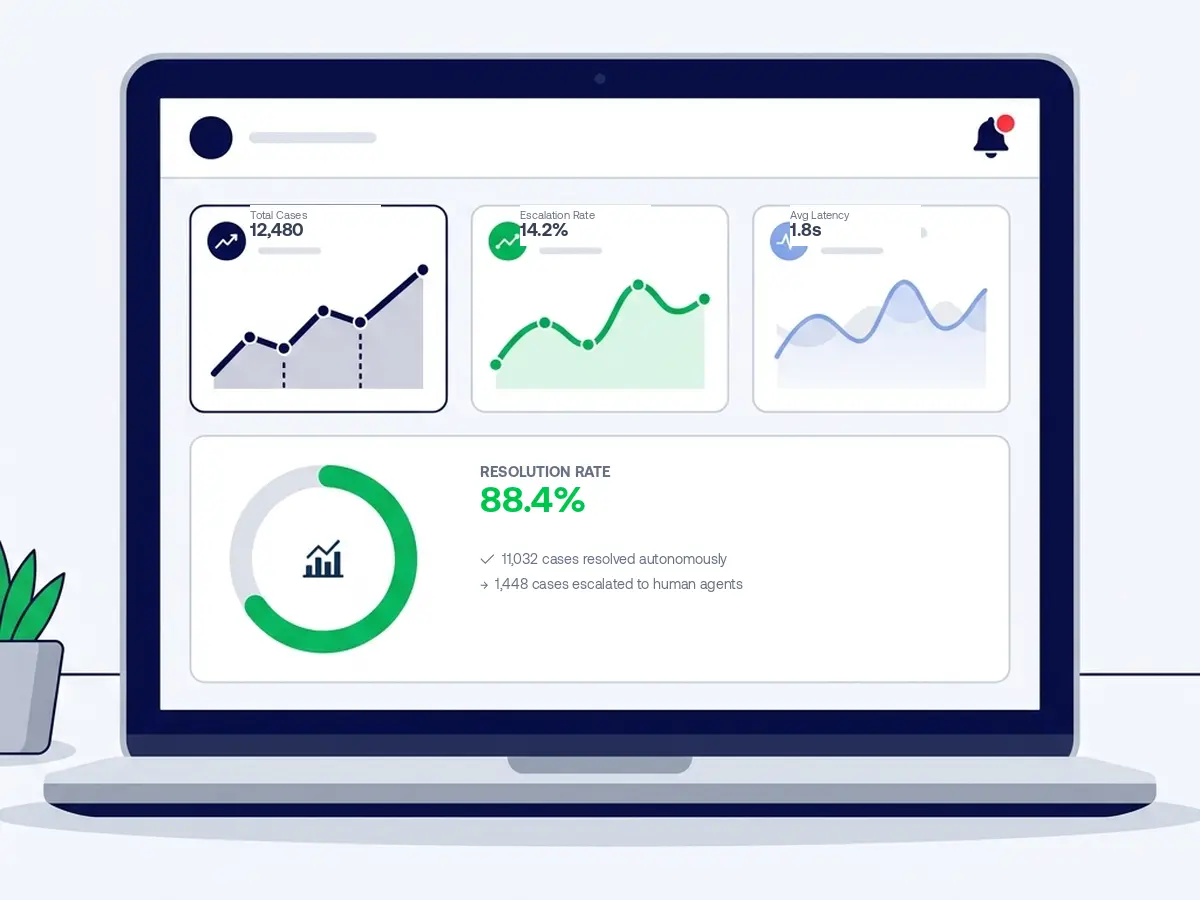
Set up monitoring dashboards before go-live, not after. You want to see in real time: case volume, escalation rate, error types and latency. Configure alerts for when the escalation rate spikes above your threshold (a sudden spike means something in the live environment is different from your test data).
Plan for model updates. LLM providers update their models on a rolling basis, sometimes with significant behavior changes, sometimes with deprecations of older versions entirely. Pin your production model version explicitly and test any upgrade in staging before rolling it to production. Budget 1 to 2 days per quarter for model update testing.
Finally, keep a human feedback loop. Build a simple thumbs-up/thumbs-down mechanism on agent outputs (for internal tools, even a Slack emoji counts). This data is gold for identifying where the agent needs improvement and where the prompt needs refinement.
Common Mistakes to Avoid
Trying to automate everything at once. Start with one use case. Prove it. Then expand.
Skipping the data audit. The quality of your agent's decisions depends entirely on the quality of the data it has access to. If your CRM has 40% incomplete records, your agent will make decisions based on incomplete information.
Ignoring the escalation path. What happens when the agent can't handle a case? If the answer is "it gets lost," you'll lose customer trust fast. Design the handoff to a human as carefully as you design the autonomous flow.
Over-automating before you've validated. Build in human review for the first 2 to 4 weeks of any new agent deployment. The cost of a mistake in production is much higher than the cost of a human reviewing 100 cases.
Ready to build your first AI agent?
We help businesses go from idea to production AI agents. Tell us your use case and we'll give you an honest assessment of scope, timeline and cost. No sales pitch, just clarity.
Irfan Malik is the CEO and Founder of ibute, with 20 years of experience helping businesses leverage custom software and AI solutions to scale efficiently. He specializes in making complex technology accessible and actionable for business leaders.
Frequently Asked Questions
Do I need a data science team to build an AI agent?
How long does it take to build an AI agent?
What's the difference between building vs buying an AI agent?
Can I build an AI agent without code?
Need a clear path forward?
Get a custom AI roadmap, tailored to your stack, timeline and budget.
Talk to an Expert →